This is some text inside of a div block.

NJASAP Pilot Tools

Increasing union member participation through an app redesign.

View App
Pilot tools dashboard and module elements on a blue gradient background

Project Type

Product Design

Role

Designer

Contribution

UX Design

Visual Design

Team

Designers - 2 (Myself)

Engineers - 2

Project Manager - 1

As a union representing thousands of commercial pilots, NJASAP sought to centralize a fragmented set of tools for pilots to access complex pay and fleet insights.

Company

Representing over 3,700 pilots, the NetJets Association of Shared Aircraft Pilots (NJASAP) is a labor union for pilots employed by NetJets, the world's largest private jet company.

What I Did

I led the design process conducting user interviews with commercial pilots and translating those findings into a dashboard with interactive data visualizations and configurable tools for pay projection and more.

Challenge

Over the years NJASAP pilots had independently built tools, on their own time, to view data like pay breakdown, senority rankings, and fleet analysis. Now, the union moved to create an official tool that would bring structure to its members' data.

Over the years NJASAP pilots had independently built tools, on their own time, to view data like pay breakdown, senority rankings, and fleet analysis. Now, the union moved to create an official tool that would bring structure to its members' data.

Centralize scattered tools into a singular task-efficient, data-driven dashboard under the NJASAP brand.

Intuitively visualize complex data for pay breakdowns, fleet analysis, hiring trends, and more.

Design new workflows including a pay comparison tool and UX enhancements to the schedule seam visualizer.

Discovery & Ideation

Discovery

To first get an understanding of the tools, myself and I my team set up meetings with some of the pilots who created the makeshift tools. We walked through the current state of the tools, how members use them, and pain points they experience.

Screens of all scattered NJASAP tools created by pilots

Tools were spread out through multiple different sites and despite data density, lacked the visual clarity to easily interpret it.

Ideation

To quickly translate all we learned into tangible visuals, we leveraged the use of AI tools (Figma Make, Google AI Studio). Defining clear parameters in the prompts passed to the agents, we explored a number of options within a short timeframe using it to rule of solutions altogether and pursuing those that showed promise.

AI generated dashboard screens

AI's output functioned as pseudo-wireframes. While gaps in workflows and structural issues were apparent, with additional prompt and manual refinement, we were able to close them where it mattered.

Design

Design System

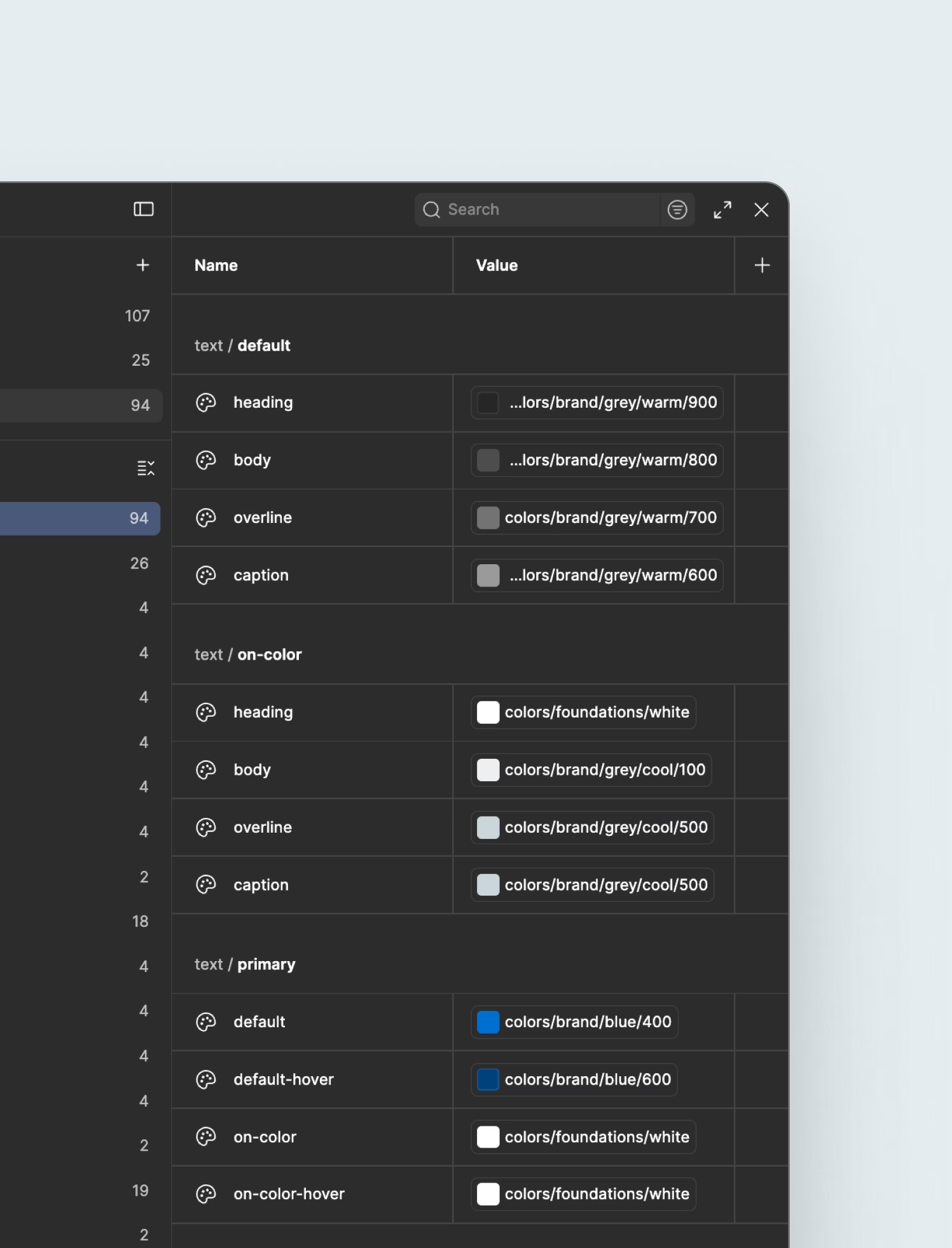
With the creation of the dashboard environment, the scope of NJASAP's design system was expanded. The foundations that had been previously set up made scaling up and maintaining consistency a smooth transition.

Pilot tools design system variables

The system expanded upon mapped color, spacing, radius, and other variables.

With an updated token structure and the generated "wireframes", we were able to move sooner into creating high fidelity screens. It allowed us to validate and iterate on functionality, making more nuanced considerations on workflows and visual aspects to ultimately make the overall experience seamless. Key sections of the dashboard are broken down in further detail below.

Seniority

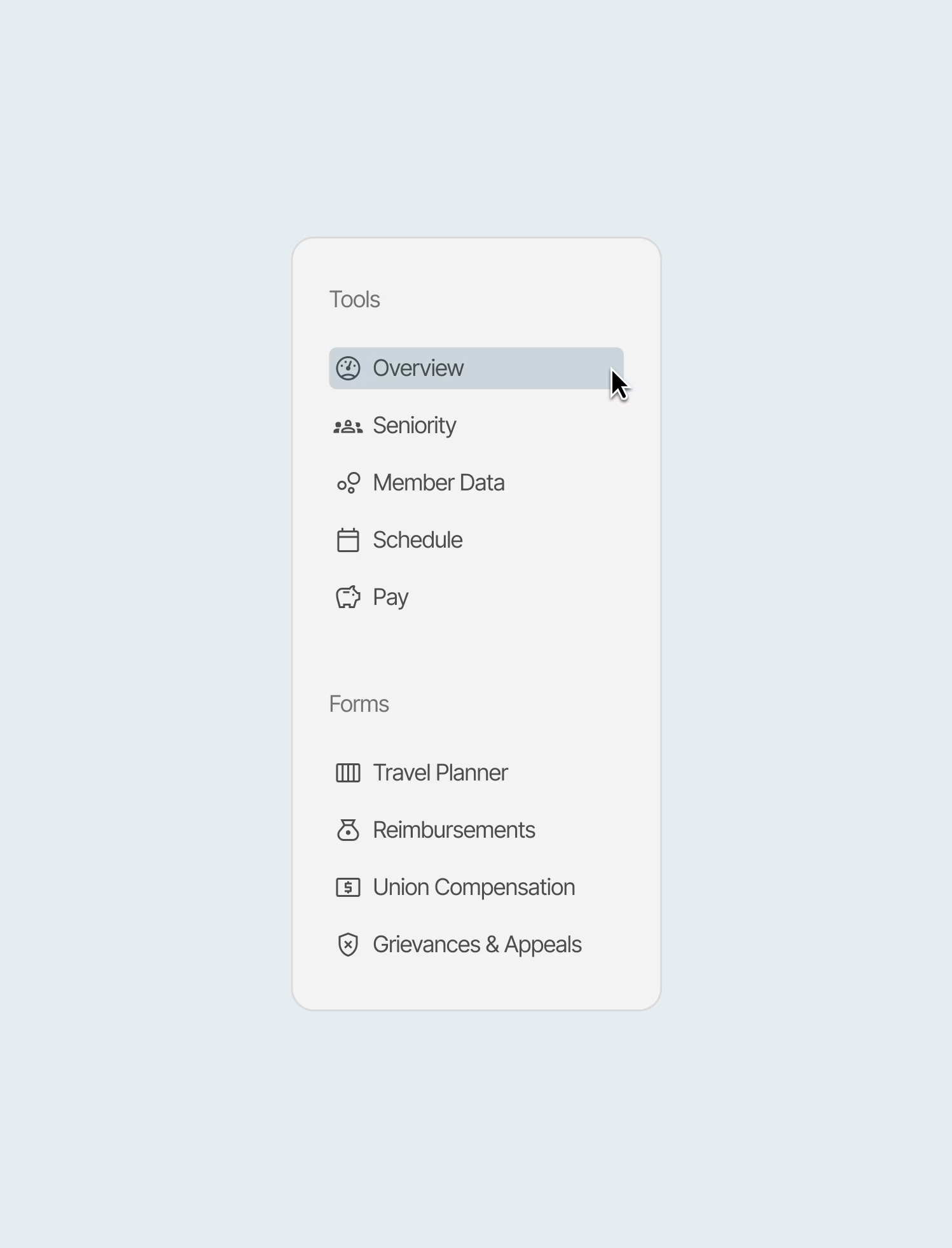
Seniority is a measurement of where a pilot ranks within the union, where the more senior a pilot is the more control they have over their schedule, line, and fleet they can secure. The section consolidated various related tools to minimize user confusion about location and streamlined their visual presentation to reduce visual and cognition load.

My seniority screen

In "My Seniority", pilots can view their current rank related details and the overall breakdown of seniority within specific fleets. I also worked on a new Relative Rank tool that allows pilots to calculate their schedule holds (how likely they are secure a schedule) based on a changing variables.

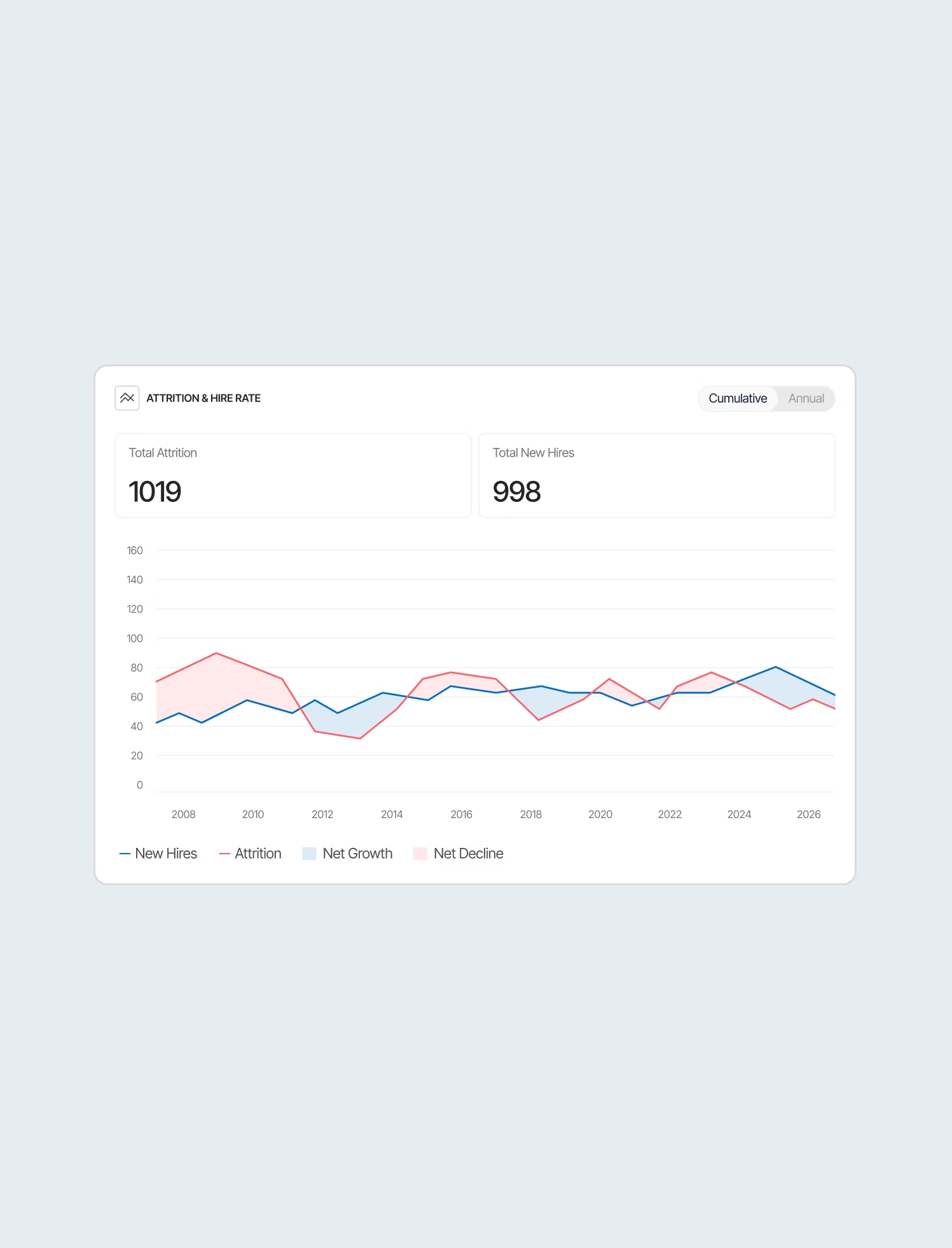
Attrition screen

The Attrition view allows pilots to further contextualize their own projected seniority by seeing historical data on how many pilots are leaving the union (whether for retirement, other jobs, etc.) Based on those numbers, pilots can then calculate their projected seniority based on their own retirement plans.

Member Data

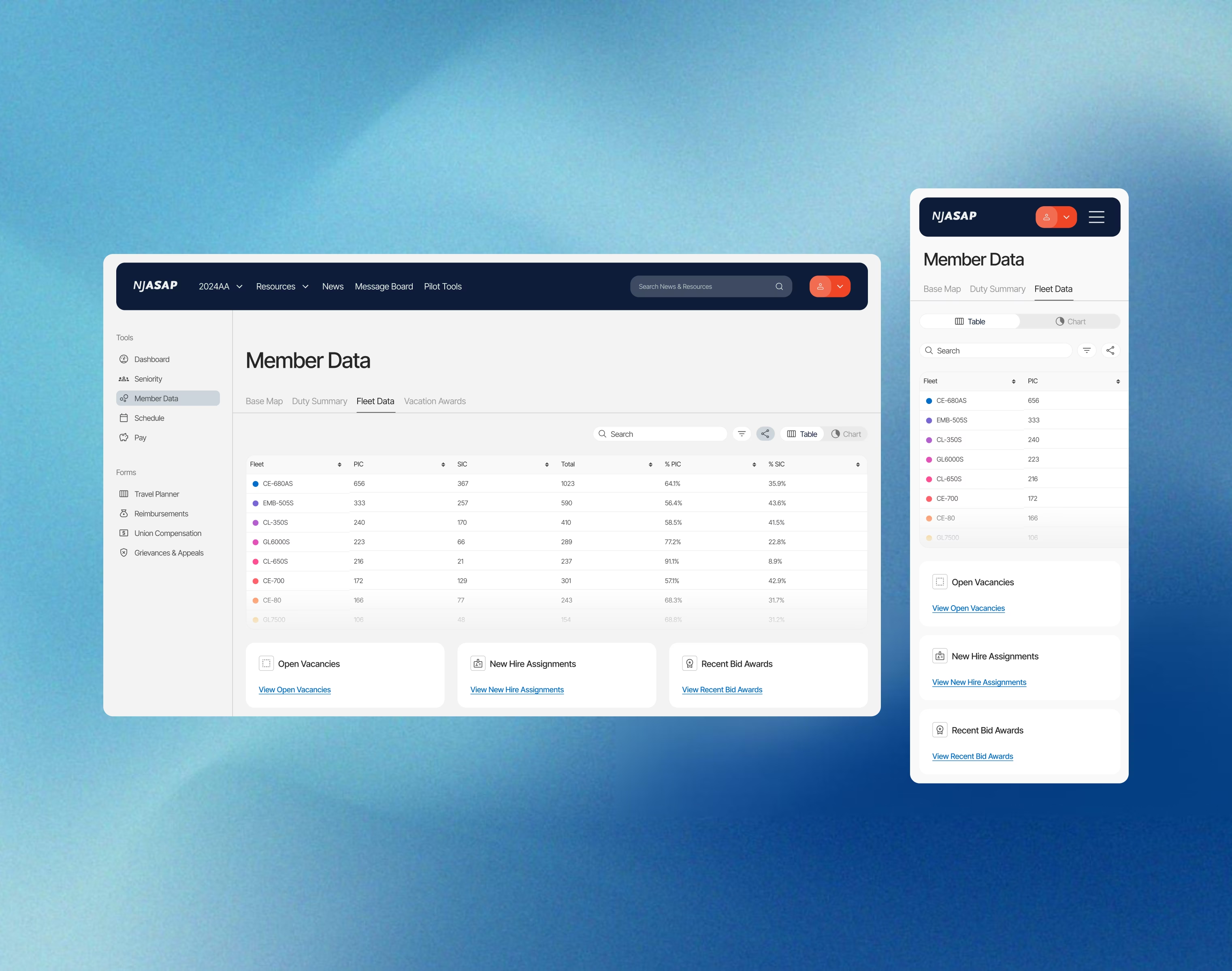
Amon other information, Member Data consolidated union-wide statistical breakdowns of fleet, role, and schedule makeups along the lines of aircraft models. I worked on visualizing data to make it faster to parse through and identify noticeable trends compared to raw numbers, all to help pilots understand where they fall within the bounds of the organization.

Fleet data alternate view screen

Interactivity was a key part of the dashboard, allowing pilots to hover data for clearer and/or more detailed information.

Schedule

Schedules are assigned after a bidding period where pilots "bid" on their preferred schedules and are doled out based on a number of factors, the most important being seniority. Pilots needed a new intuitive tool to visualize transitions between two schedules (typically their current and upcoming one). I created a structure where users could easily modify inputs and make direct associations to the calendar-based output on screen.

Schedule comparison screen

Reducing visual noise when possible was a key part of the approach. The seam visualizer toggle afforded users more control over showing the connecting schedule seam when necessary while still keeping in line with the overall goal of centralization.

Pay

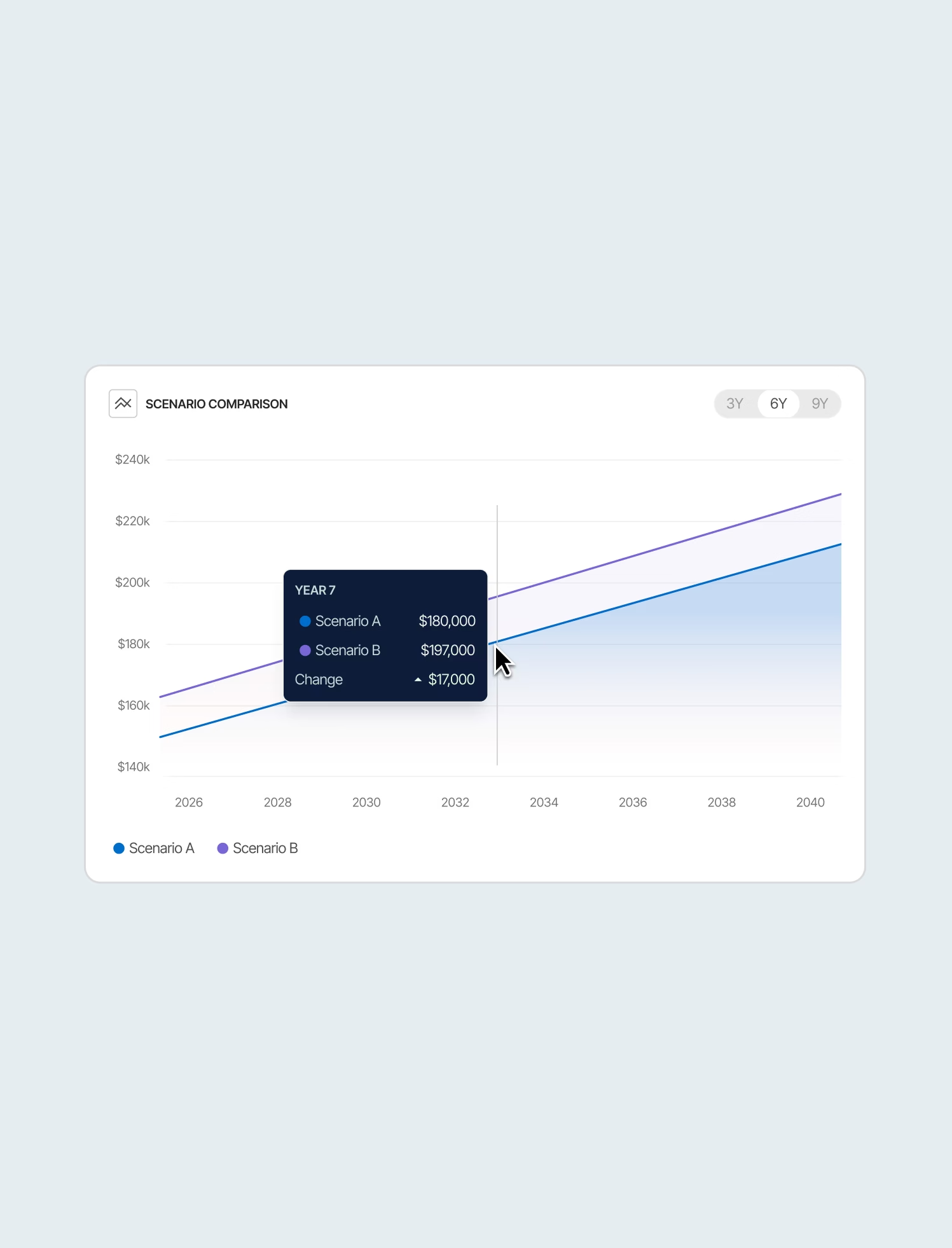
Pilots needed a way to breakdown their earnings, understanding how factors like bonuses, holidays worked, retirement contributions, and more all factored in to their total compensation. Like other aspects of the dashboard, understanding how their career trajectory affects their pay was also vital, and that's where the comparison tool came in. I created a way to compare two different scenarios and immediately recognize what choices result in optimal pay.

Pay screen

Pilots could control for the most impactful variables like fleet, seat, and schedule variables as well as a smaller ones like PTO sell back, overtime.

Reflections

While the project has yet to reach its conclusion, during the design phase I learned a few things:

AI for rapid ideation

By analyzing large amounts of data, AI was able to assist with brainstorming more tangible workflows.

Translating hi-fidelity into high productivity

Working on screens closer to the final product made for more productive collaboration with the NJASAP team.